
03 · Policy and SOP management
Put the current version in the hands of the people who need it.
Permissions, approvals, renewals, version control and sign-off set a managed document library apart from a shared drive. Q also reads each document, so employees can get answers directly from the content.
The problem
Teams lose hours looking for files, and the file they find is often the wrong version of the right document.
Compared
What you get elsewhere, and what you get here.
What you get elsewhere
- Storage with folders, and a search box that matches file names.
- Sharing by link, to anyone who has the link.
- Version control, if somebody remembers to name the file correctly.
- Documents, scans and recordings that cannot be searched at all, sitting unused.
- Duplicates and outdated copies that distort every result and erode trust in the system.
What you get from Qaliber
- People see a document only when their role and assignments call for it, so the right people always have access.
- Approval and renewal cycles with a named owner and a date, so every document stays current.
- Sign-off recorded as a compliance event, tied to the exact version delivered.
- AI reads the content, so an employee gets the answer from page 34 of the procedure straight from the right page.
- Write and format documents inside the system, and produce a professional document in seconds in your company's format.
Shown
See it working.
DocumentStatusVersionReview cycleAcknowledgment
Powered truck operator SOPapproved4.2365 daysevery
Contractor Access Policyunder_review2.0180 daysfirst
Line 3 Changeover Guideapproved7.1365 daysnever
Recall Procedurepending_approval5.090 daysevery
Q3 Compensation Bandsdraft1.3—never
VisibilityRole and assignment
Approval chainNamed approvers, in order
ReviewDue date, owner, escalation
Built with QFlagged on the record
LanguageTranslated from a source
Sign-offPolicy-driven
Every document carries an owner, a status, a version, a review cycle and an acknowledgment mode, and the system records its history as it happens, so the history is always ready.
From the product
The screens your team would work in.
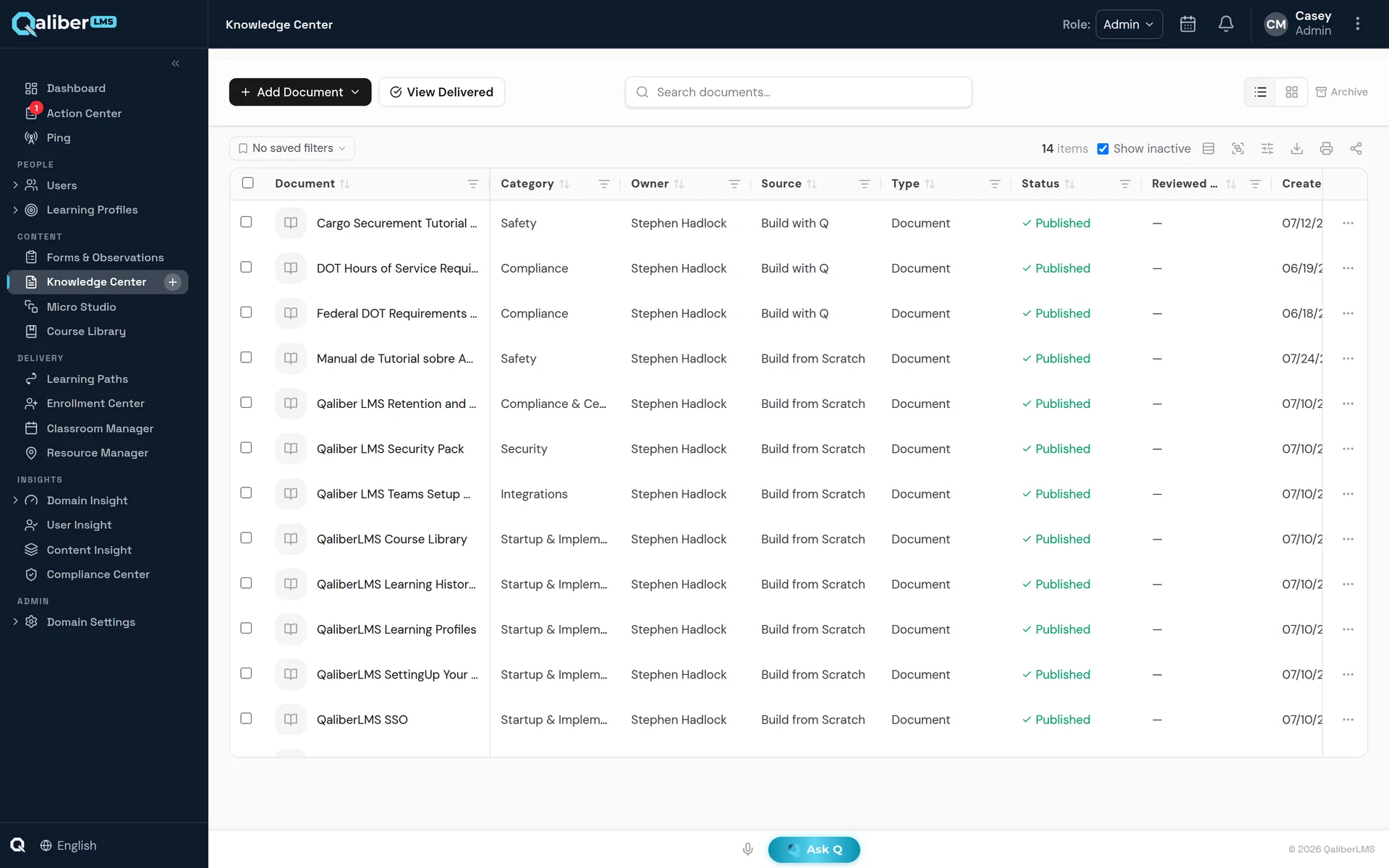
The Knowledge Center document library — owner, status, version and review cycle on every record.
Included
What's included.
Ask Q search
Ask Q to find information instantly in any knowledge source you have permission to see, and get an answer with its source cited.
Permission before search
People see only what they are entitled to see, and that protection is on by default.
Approval, renewal, sign-off
Every document has an owner, a cycle, and a record of who accepted which version.
Read for you
The system reads inside the document and brings the employee the answer.
Written and formatted in seconds
Build the document where it will live, in the same system.
FAQ
Questions buyers ask.
Can we track who acknowledged a policy?
Yes. Sign-off is recorded against the exact version delivered, with the assurance level the document requires.
Can documents be translated?
Yes. A translated document is created as a copy linked to the original, so translations stay connected to their source.
Can Q write policies and SOPs?
Yes. Q can draft policies, procedures and SOPs, training manuals, handbooks and job aids from your sources, for a person to review and approve.
Who can see a document?
People see a document when their role and assignments give them access. Viewing permissions can also be set on each document, and Ask Q respects them.